
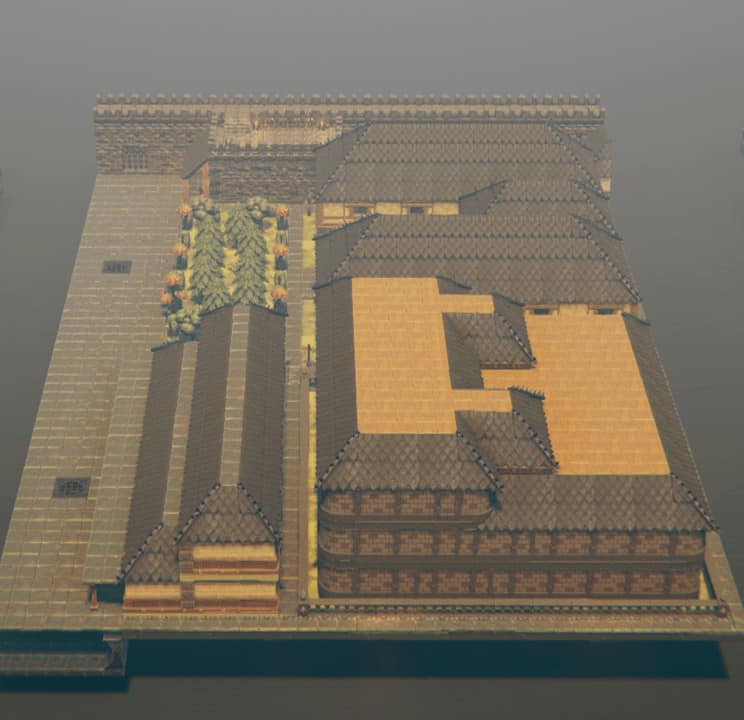
City of "Crossroads" North Gate (slab 2 of 13)
by jcmancini36 more by them Jul 17, 2020 16 likes 25 downloads
Part of: City of Crossroads Modular City/Walls Towns & Cities
- Downloads
- 25
- Assets
- 4,046
- Size
- 39.25w x 14.5d x 58h
- Format
- Slab
- Status
- Complete
Report this slab
Tell us what is wrong. For a formal copyright notice see our Copyright & DMCA Policy.
instructions: There are 13 slabs in total. Slab 1 is the North East corner of the city. After you place that slab place slabs 2, 3 and 4 (in that order) in line with slab 1 on it's western side. You should match the Northern City Wall of the city up on all of these tiles. Slab 5 is on the Eastern side again, and should be place directly below slab 1 aligning the Eastern City Walls. Slab 6 actually goes directly below slab 5 again aligning the Eastern City Walls. (continued below).
Slab 7 will be placed directly to the west of slab 5, and below slabs 2 and 3. Slab 8 will be placed below slab 7. Slab 9 will be directly west of slabs 7 and 8. Slab 10 is back to the East and is the SE corner. Next place slabs 11, 12 and 13 in that order on the western edge of slab 10. All of the cities outer Walls should line up.
Comments (0)
Log in to join the conversation.
No comments yet.